See your speed and follow your route
Check speed, distance, grade and the live GPS map on the ride computer. Recording pauses at a stop and resumes when you meet the movement criteria. Review your route, speed and elevation afterward.
Cycling computer and bike maintenance
Track your speed and route, see where the ride got bumpy, and use that data to plan maintenance for your bike.
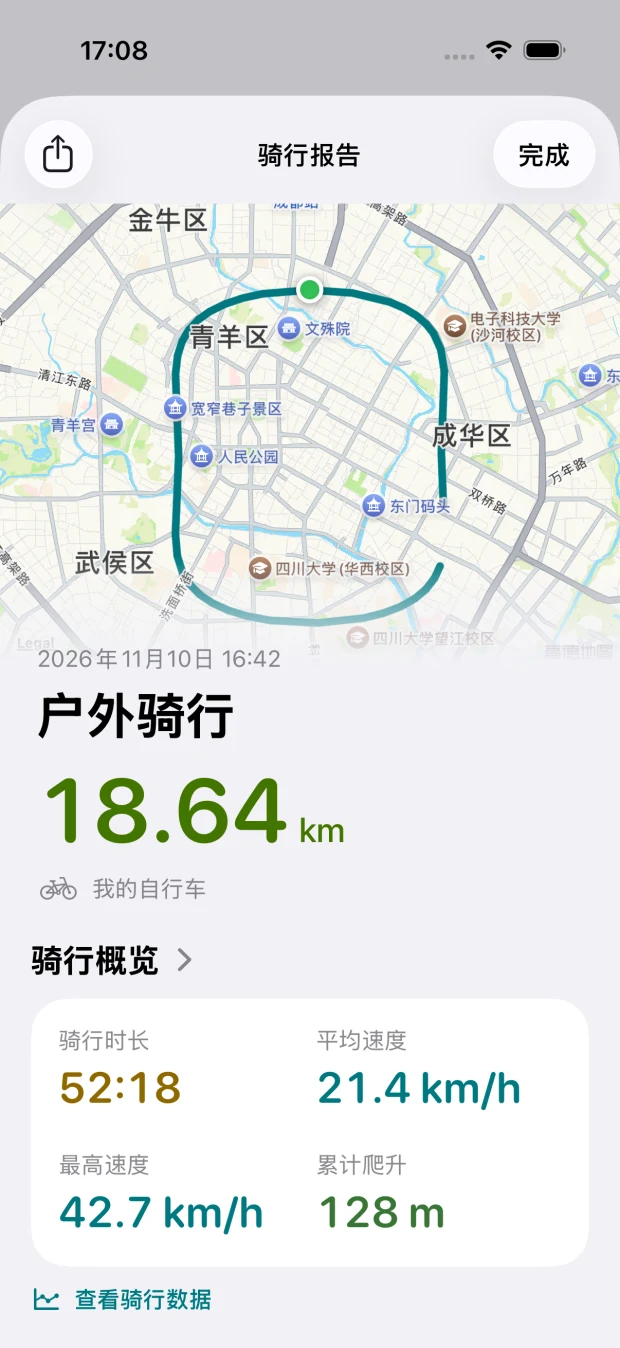
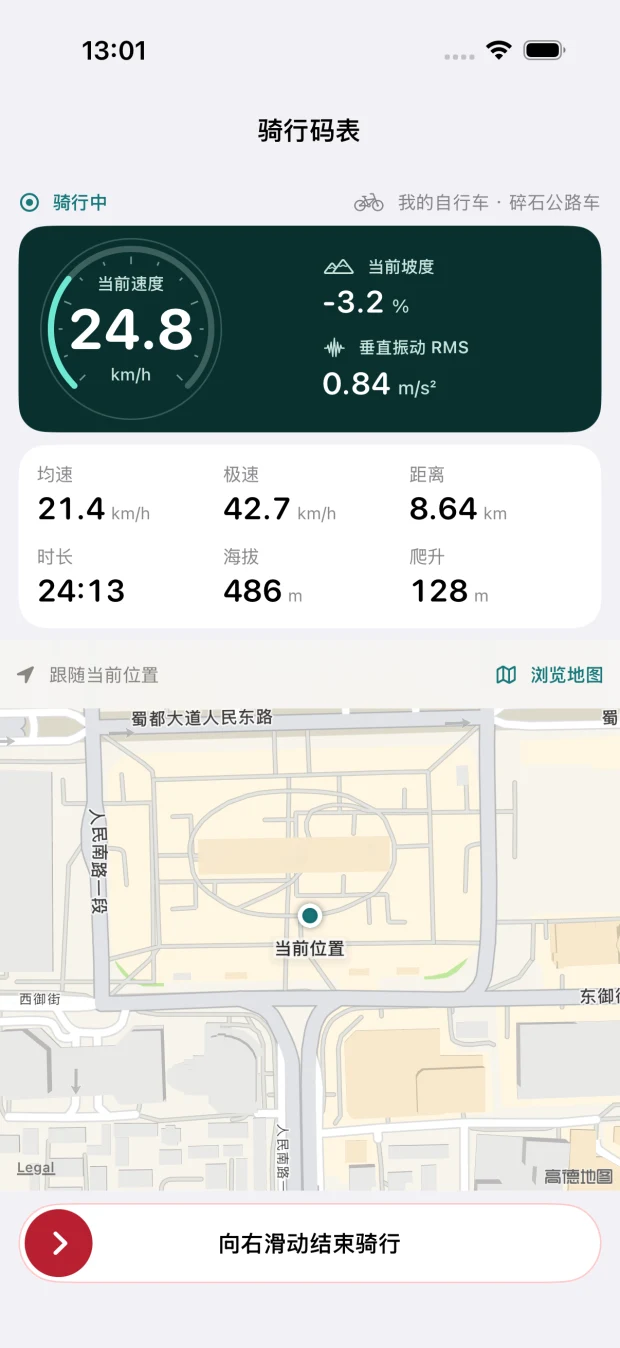
Check speed, distance, grade and the live GPS map on the ride computer. Recording pauses at a stop and resumes when you meet the movement criteria. Review your route, speed and elevation afterward.
Your iPhone’s motion sensors measure vertical vibration. See the live reading while riding, then check a trend chart and a color-coded route map in the report.
Track actual distance and maintenance records by bike. Set intervals for the drivetrain, wheels, brakes and other components. The app shows when the date or service distance comes due.
With your permission, import cycling workouts, distance and available routes. Keep them in your ride history or count their actual distance toward a bike you choose.
Set a vibration multiplier from 1× to 3× for each component. Eligible sections with moderate or strong vibration count toward that component’s service interval at the selected multiplier.
The default multiplier is 1×. Use equivalent distance as a reminder alongside manufacturer guidance and inspection.See the ride computer, ride report and bike maintenance screens. Select any screenshot to enlarge it.
Development build shown with sample data. Screenshots are in Simplified Chinese.
See speed, grade, live vibration and the follow map on one screen.
Review the route and open the ride data to see speed, elevation and vibration.
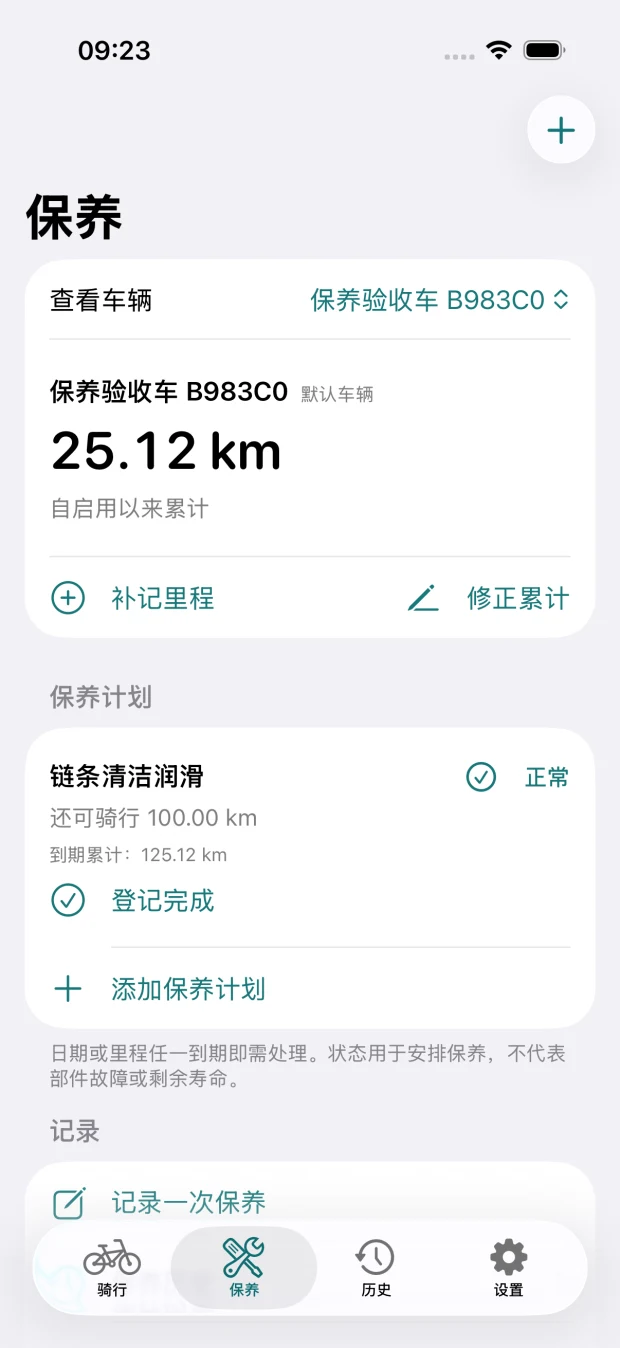
Check your bike’s mileage, component plans and service records.
No account required. The app stores your rides and service records on your device. Export and share them whenever you choose.